
Designing hang tags for retail pricing and barcode labeling isn't just about making things look pretty—it's about scanning accuracy and brand trust. Here is exactly how to design hang tags that balance visual appeal with strict retail compliance.
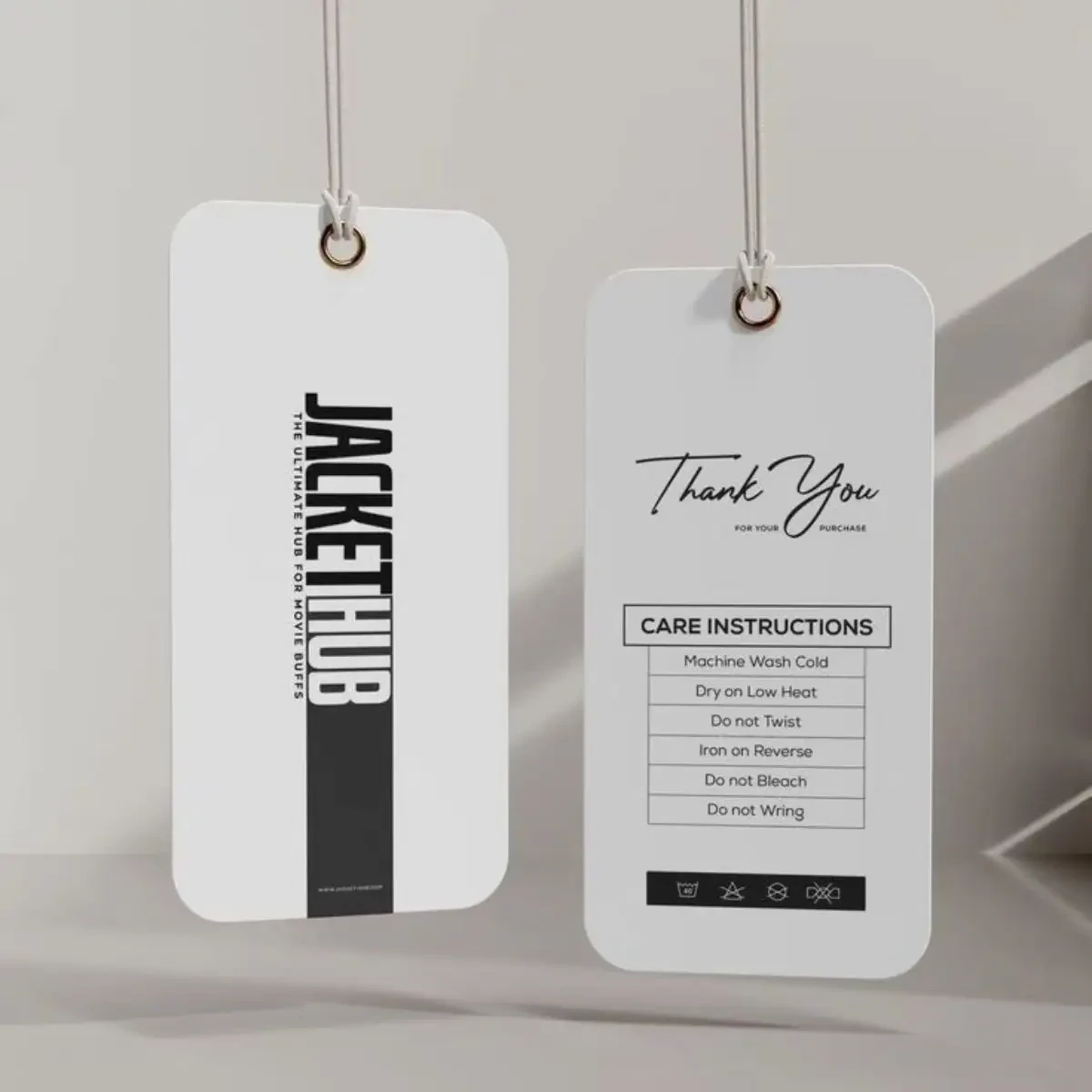
Last month, a mid-sized apparel brand came to us with a frustrating problem. Their beautiful, minimalist hang tags were causing checkout delays because the barcodes simply wouldn't scan. It’s a classic case of form over function. When you're figuring out how to design hang tags for retail pricing and barcode labeling, visual appeal is only half the battle. The other half is strict technical compliance.
Here’s the thing: about 70% of our customers initially focus entirely on the logo placement, only to realize later that their barcode fails the scanner test. If you want to avoid the same headache, you need a design strategy that balances brand identity with retail reality.
The Anatomy of a Perfect Retail Hang Tag
Let's be honest, most designers treat hang tags like mini-posters. But a price tag isn't just decorative. It’s a functional tool. At our 37-year ISO 9001 and FSC-certified factory, we process thousands of these weekly, and the ones that work best follow a very specific hierarchy.
First, your brand identity. This is usually the logo and maybe a brief tagline. Keep it at the top third of the tag.
Second, the product details. Size, color, material composition.
Third, the pricing and barcode. This needs to be in the bottom third, completely isolated from heavy graphics.
Sound too good to be true? It’s actually just basic retail logic. Cashiers need to scan quickly. If your barcode is buried under a dark, textured background, the scanner bounces right off it.
Step-by-Step: Designing for Scannability and Style
You might be wondering where to actually start. Here is the exact workflow we recommend to our clients.
1. Lock in your dimensions early.
The industry standard is 2" x 3.5", but for price tags that need to hold a barcode, a SKU, and a price, we usually recommend bumping it up to 2.5" x 4". That extra half-inch gives you crucial breathing room.
2. Establish strict typography rules.
Don't use script or highly stylized fonts for the actual price or the barcode numbers. Frankly, it just looks messy and confuses both the customer and the scanner. Stick to clean sans-serifs like Helvetica or Arial for the data points. Save the fancy fonts for your brand name.
3. Master the barcode "quiet zone".
This is where 90% of design mistakes happen. Every barcode requires a clear, unprinted margin—called the quiet zone—on both the left and right sides. It needs to be at least 1/8 inch (or 3mm) wide. If you put graphics or text in that zone, the scanner can't read the start and stop characters.
4. Choose your materials wisely.
Material choice directly impacts print quality. 350gsm coated paper is the gold standard for crisp barcode lines. But if you're going for an eco-friendly look with uncoated kraft, be careful. Uncoated stocks absorb ink, which can cause the thin barcode lines to spread and blur. We usually recommend upgrading to 400gsm or adding a localized UV coating over the barcode area to prevent this.
Common Design Mistakes (And How to Fix Them)
We’ve seen these errors countless times. Here’s what to watch out for.
Mistake 1: Low contrast barcodes.
Printing a white barcode on a dark navy background is a disaster waiting to happen. Scanners use red light. Dark backgrounds absorb that light. Stick to black bars on a white or very light pastel background. If you absolutely must use a dark tag, print a white patch specifically for the barcode.
Mistake 2: Ignoring the fold or string hole.
If your tag folds in half, make sure the barcode doesn't fall on the crease. A warped barcode is an unreadable barcode. Similarly, keep the string hole at least 0.5 inches away from any critical text or scannable data.
Mistake 3: Relying on RGB colors.
Designers often forget that screens emit light, but paper reflects it. A vibrant neon green on your monitor will print as a muddy olive in CMYK. Always design in CMYK from the start, and use Pantone (PMS) spot colors if your brand requires exact color matching.
File Preparation: Getting It Print-Ready
This is where the rubber meets the road. You can have the best design in the world, but if the file is set up wrong, the print will fail.
Always supply your files at 300 DPI at actual size. Vector files (AI, EPS, PDF) are highly preferred because they keep the barcode edges razor-sharp, regardless of scaling. If you must use raster images (PSD, TIFF), ensure the barcode is embedded at 1200 DPI to prevent pixelation on the thin vertical lines.
Don't forget the bleed. A standard 3mm (0.125 inch) bleed on all sides ensures that when the guillotine cuts the tags, you don't end up with ugly white edges.
Industry-Specific Tips
Not all retail environments are the same.
For apparel and fashion, the tag is an extension of the garment's luxury feel. We see a lot of clients using soft-touch lamination or gold foil stamping. Just remember: keep the foil away from the barcode. Foil reflects the scanner's light and causes read errors.
For electronics and hardware, durability is key. These tags often get handled roughly. A thick 400gsm or even 500gsm cardstock with a matte lamination will resist tearing and smudging. Here, the barcode and SKU are the undisputed kings of the design.
Frequently Asked Questions
What is the standard size for a retail price hang tag?
While 2" x 3.5" is common, 2.5" x 4" is much better when you need to include a barcode, price, and product details without cluttering the design.
How much do custom hang tags cost?
It depends on the materials and finishes, but generally, you're looking at $0.08 to $0.25 per unit. Typical MOQs start around 500 to 1,000 pieces. At our facility, standard lead times are 7-15 days depending on the complexity of the finishing.
Can I use a colored barcode?
Technically, yes, but practically, no. Red, yellow, and pastel inks don't absorb the scanner's red light properly. Stick to black, dark blue, or dark brown bars on a white background.
Do you offer design services if I don't have a barcode?
We can certainly help you format your custom hang tags for printing, but you'll need to generate the actual barcode (like UPC or EAN) through a recognized registry like GS1. We can, however, ensure the barcode is placed correctly in your layout.
What’s the best finish for a barcode area?
Matte or uncoated is usually best. High-gloss finishes can create glare under the harsh fluorescent lights of a retail checkout, blinding the scanner. If you want a glossy tag, use a spot UV only on the logo, keeping the barcode area matte.
Ready to Print?
Designing a hang tag that looks great and scans perfectly doesn't have to be a guessing game. By respecting the quiet zones, choosing the right contrast, and prepping your files correctly, you'll save your retail partners a lot of headaches.
If you're ready to bring your designs to life, our team at paper tags production is here to help. We can review your files for free before we print, ensuring every barcode scans perfectly on the first try. Check out our retail tagging options to find the perfect material and finish for your brand.