
Designing wedding invitations can feel overwhelming, but breaking it down into clear steps makes the process seamless from concept to print. Here is exactly how to design cards and invitations that your guests will actually keep.
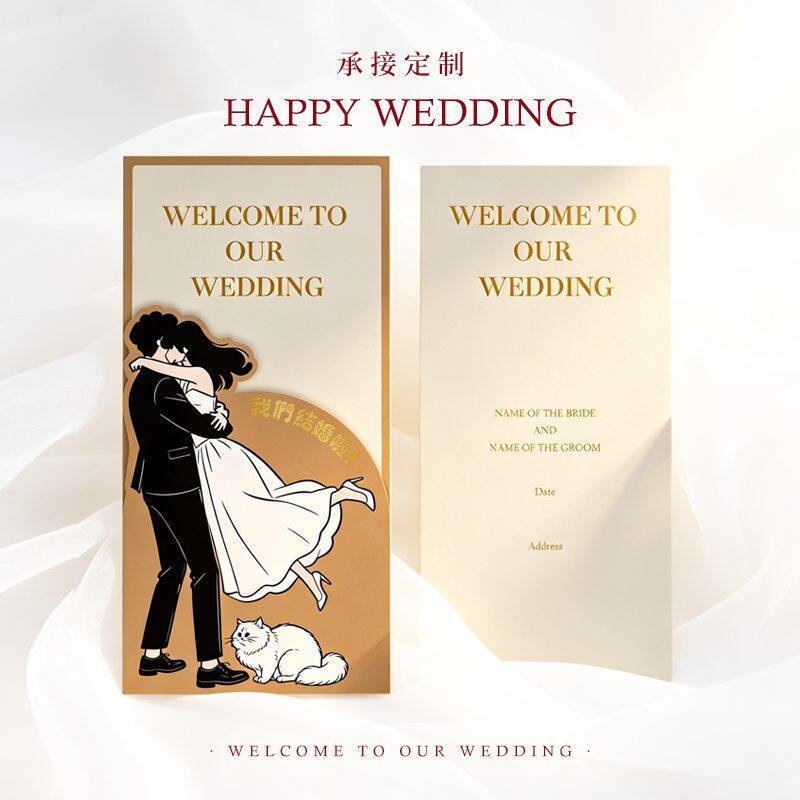
Last month, a bride sent us a stunning digital mockup for her wedding invites. It looked flawless on her Retina display. But when we pre-pressed it for production? The edges were too close to the trim, the black text was actually rich black (which smudges), and the resolution was a blurry 72 DPI. A total disaster.
Designing for print is a completely different beast than designing for screens. If you're figuring out how to design cards and invitations that actually look as good in hand as they do on Pinterest, you need to think about physical constraints right from the start. Let's walk through exactly how to get it right.
Start with the Paper, Not the Screen
Here’s what nobody tells you: your paper choice dictates your design. Seriously. If you pick a delicate 250gsm textured paper, heavy ink coverage will make it curl. You'll need something sturdier, like a 350gsm to 600gsm cotton stock, to handle deep colors or foil stamping.
Most of our clients start by picking a physical size. The classic 5x7 inch is safe, but we've seen a massive shift toward 4x8 inch or even square 5x5 inch formats lately. Once you lock in the physical dimensions, your digital canvas finally makes sense.
Flat vs. Folded: How Format Changes Your Layout
This is a decision you have to make before you draw a single line. A flat 5x7 card gives you one continuous canvas. It’s modern, sleek, and generally easier to design. A folded 5x7 (which prints on 10x7 and folds in half) gives you a front cover and an inside panel.
If you go with a folded card, treat the front like a magazine cover. Keep it ultra-minimal. Just the names, maybe a monogram, and the date. Put all the logistical details inside. We’ve seen too many designs where people cram the venue address onto the front cover of a folded card. It just looks cluttered.
The 5-Step Design Process
Look, you don't need to be a professional graphic designer to make something beautiful. But you do need a system.
1. Lock in your typography hierarchy
Pick two fonts. Maybe three if you're feeling brave, but generally speaking, two is enough. Use a clean serif for the actual details (names, date, venue) and a flowing script just for the header. Don't make guests squint.
2. Build in your margins and bleed
This is where 90% of DIY designs fail. Your actual design needs to stay at least 0.25 inches away from the trim edge. If you want color to go all the way to the edge, you must extend the background 3mm past the trim line. That’s your bleed.
3. Keep the ink coverage in check
Dark, moody designs look gorgeous on screen. But covering an entire 5x7 card in solid dark navy ink? It’s prone to scratching during transit and takes forever to dry. If you want a dark vibe, consider a dark paper stock with light foil or white ink instead.
4. Add tactile elements strategically
This is where the magic happens. Blind debossing, edge painting, or a subtle spot UV on the monogram. Just don't go overboard. Pick one or two premium touches. You can explore these options when you order our custom wedding invitations.
5. Proof in CMYK
Switch your design software from RGB to CMYK immediately. Screen colors are backlit; printed colors rely on reflected light. That neon pink will turn muddy magenta if you aren't careful.
Designing for Specific Print Techniques
Here’s the thing: your design needs to match your printing method. If you’re doing standard digital printing, you have total freedom. Full-color photos, gradients, complex layouts—it all works.
But if you want letterpress or foil stamping, the rules change. You can't use gradients in letterpress. The design needs to be solid vector shapes. And for foil, you have to create a separate spot color layer in your design file to tell the machine exactly where the foil goes. It adds a step to your design process, but the tactile result is worth it.
Mistakes We See Every Single Week
We run a 37-year-old printing factory, and we see the same design hiccups constantly.
Using web images: If your image isn't at least 300 DPI at the actual print size, it will look pixelated. Period.
Too much text: An invitation is a teaser, not a novel. Keep the main card clean and put the heavy details (registry, accommodation) on an enclosure or your wedding website.
Ignoring the envelope: Your invite might be perfect, but if it's too thick for a standard stamp, your guests will hate you. A standard 5x7 on 350gsm paper usually requires extra postage.
Forgetting the RSVP timeline: If your wedding is in 6 months, you need to design and print at least 3 months out to account for addressing and mailing.
What Does It Actually Cost to Print?
Let's talk numbers, because pricing is always a moving target.
For a standard digital print on 300gsm uncoated cardstock, you're looking at roughly $0.35 to $0.65 per unit. But once you start adding luxury finishes—like gold foil stamping or letterpress—the price jumps to $1.20 to $2.80 per piece.
Most print shops, including us, set minimum order quantities (MOQs) around 100 to 500 pieces for custom designs. Lead times typically run 7 to 15 days, depending on how complex the finishing is. If you're ordering custom cards with intricate die-cut shapes or multiple foil colors, lean toward the 15-day mark to be safe.
The Reality of Color Matching
Let’s be honest about color. You will never get a 100% exact match between your screen and the final printed card. It’s physically impossible because screens emit light and paper absorbs it.
That said, you can get close. If you have a very specific brand color or a tricky shade of blush pink, ask for a physical proof. It usually costs an extra $25 to $40 and adds a couple of days to the timeline, but it saves you from ordering 500 cards in the wrong shade of peach.
Final File Prep Checklist
Before you hit send on your files, run through this quick list:
Format: PDF/X-1a or high-res PDF.
Color mode: CMYK.
Resolution: 300 DPI minimum.
Bleed: 3mm on all sides.
Text: Outlined or embedded.
Black text: Use 100% K (single black), not rich black, for small text.
Designing wedding invitations is equal parts art and logistics. Get the physical constraints right first, and the creative stuff becomes a lot easier to manage. If you're ever stuck on whether a design will actually translate to paper, just ask. We've printed millions of these cards, and we know exactly what works and what falls flat.